Auto Layering
Split a composite UI or scene into named, independently editable layers—no boxes to draw. Same goal as Layer Split, from detected edges.
TL;DR
Auto Layering splits a composite plate into independently editable layers. No boxes to draw: the pass cuts from detected edges. Same toolbar as Layer Split; same goal, boxed sizes on that page.
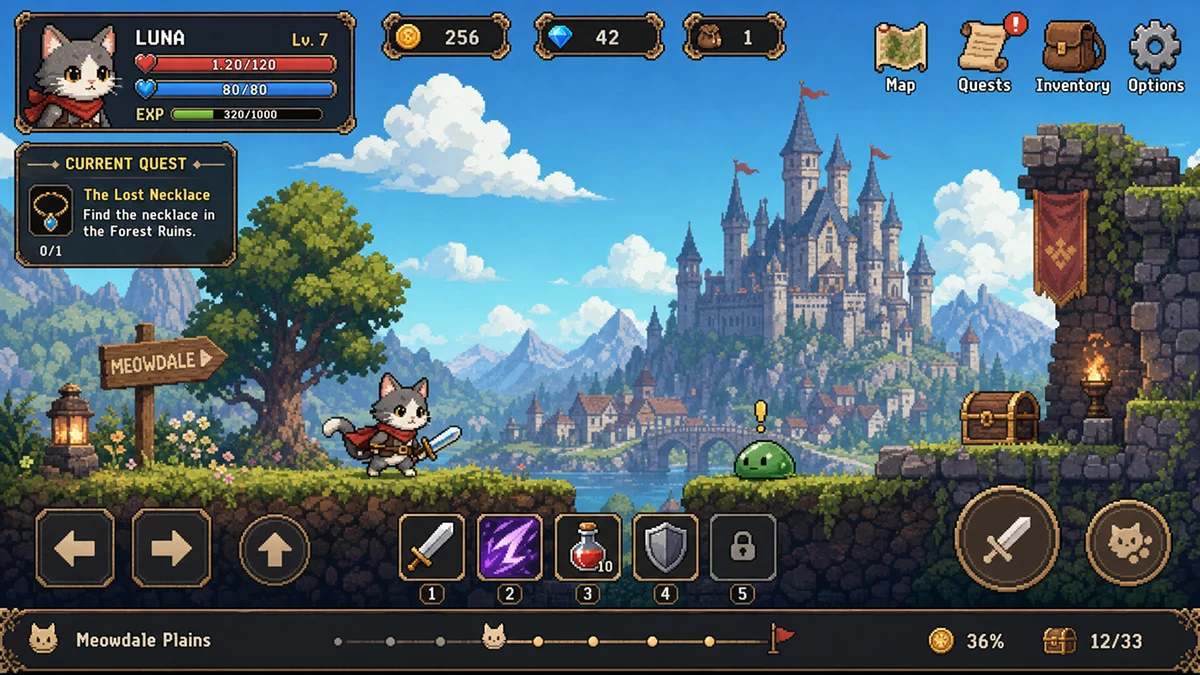
Step 1: Open Auto-Layering
Select the board (for example cat_journey_UI). Open the overlapping-layers menu and choose Auto-Layering (from 37 credits).
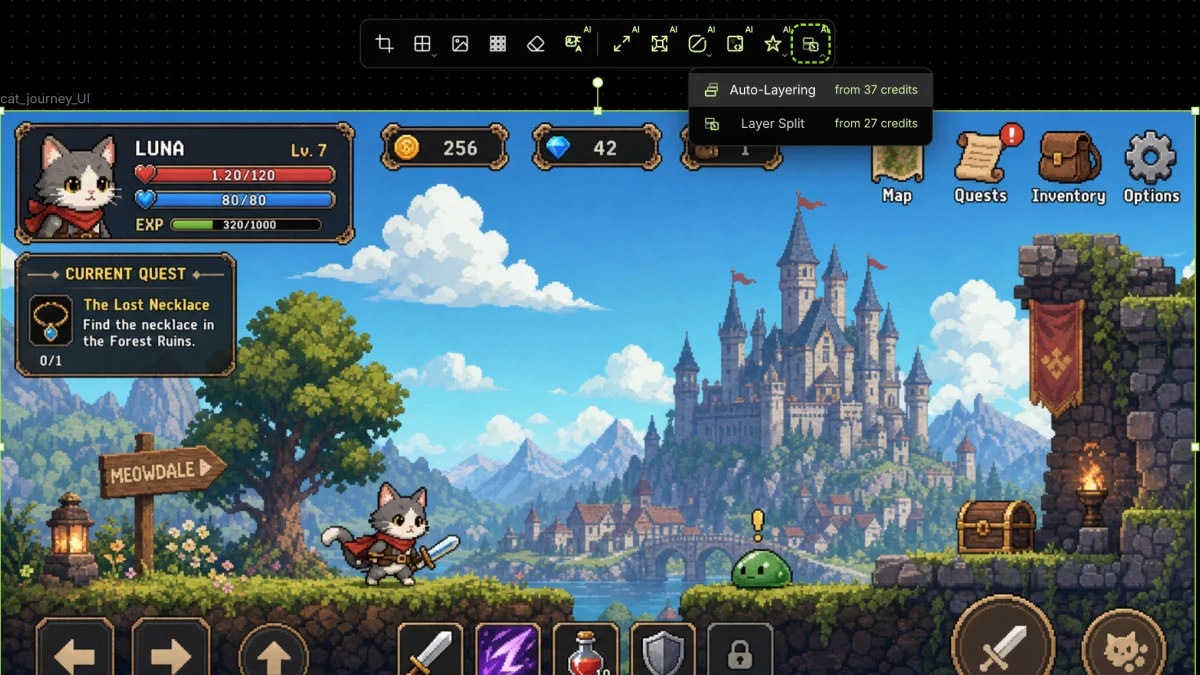
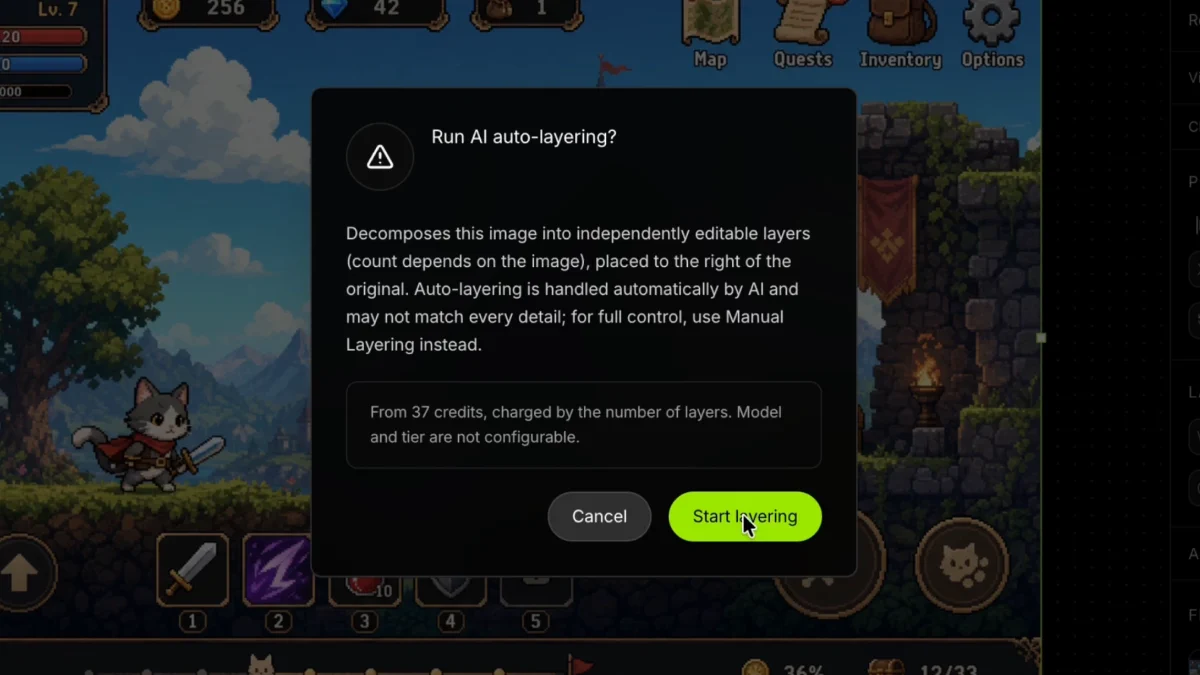
Step 2: Confirm the debit
Run AI auto-layering? then Start layering. Charge is by layer count; model and tier are not configurable. The dialog may still say Manual Layering—that control is Layer Split.
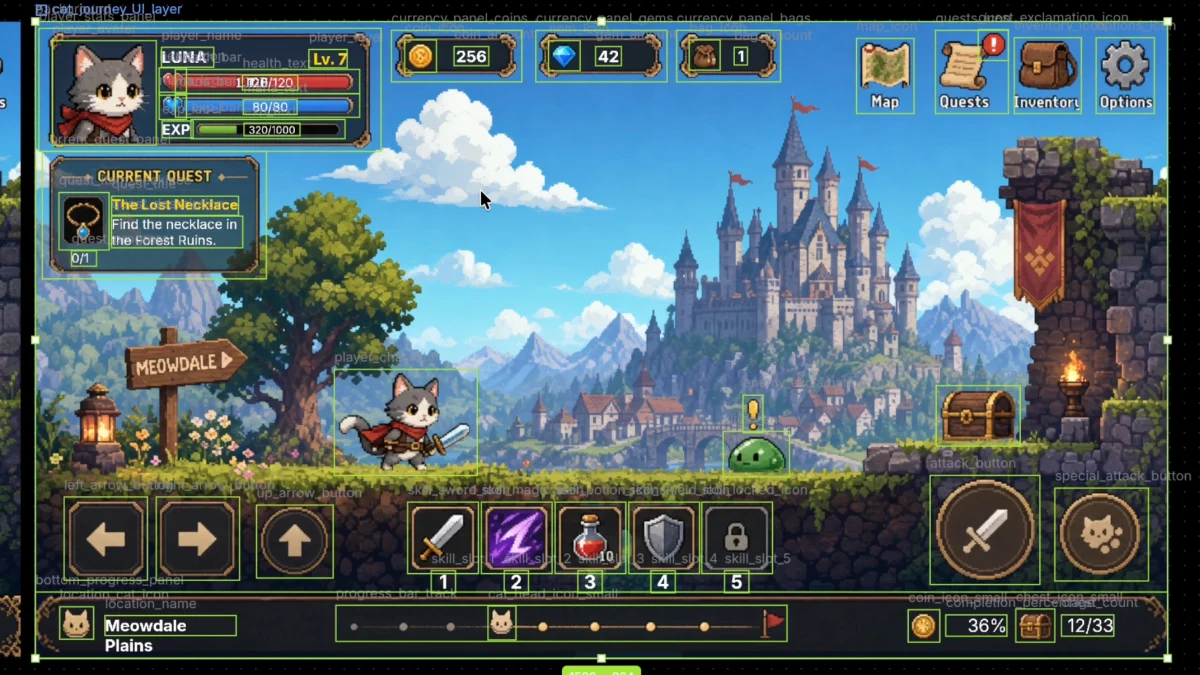
Step 3: Review named layers
Results land to the right of the source, already named. Complex HUD and scene pieces are boxed automatically.
Walkthrough video
Same goal, drawn boxes: Layer Split.