Figma to Cocos Creator: design to Prefab
Import a layered Figma file into VberAI Studio, export it as a Prefab to Cocos Creator 3.x, then build and preview in a local web page.
TL;DR: 3 steps
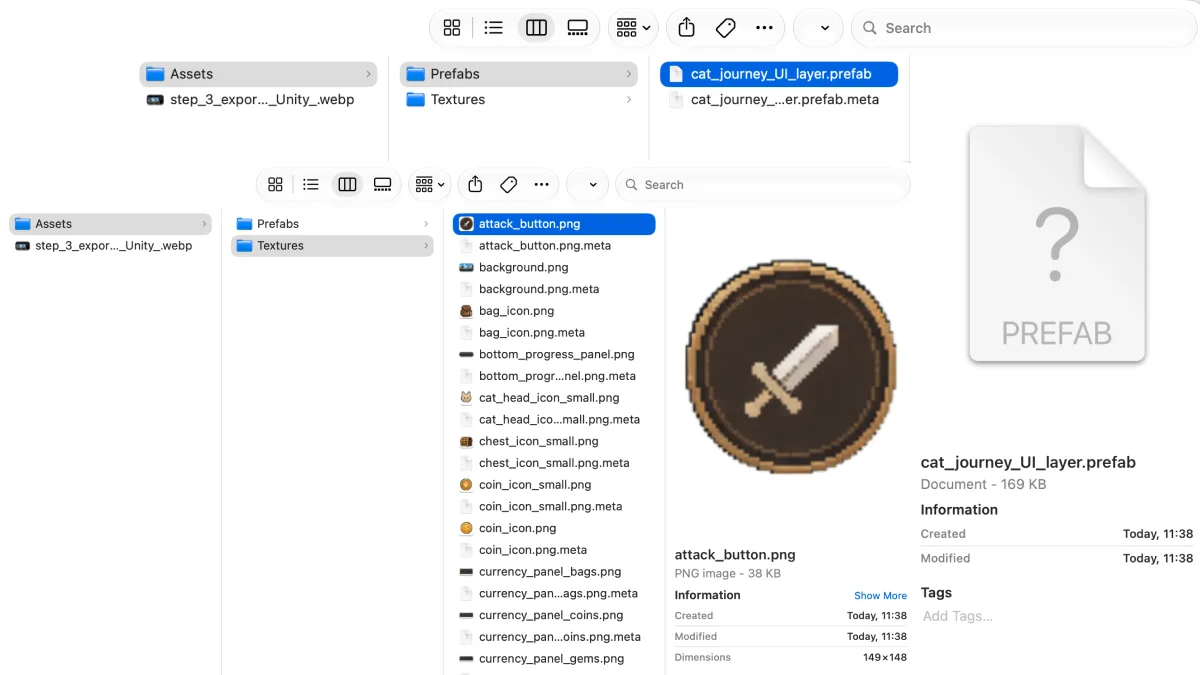
Figma to Cocos Creator fits a layered .fig UI or HUD that needs to land in Cocos Creator 3.x as a Prefab. VberAI Studio imports the file, then exports to Cocos Creator 3.x. The output sits under Assets: Prefabs for the assembled UI, Textures for the named cut images. Cursor or Codex fills in the UI logic. Build in Cocos Creator; preview opens as a local web page.
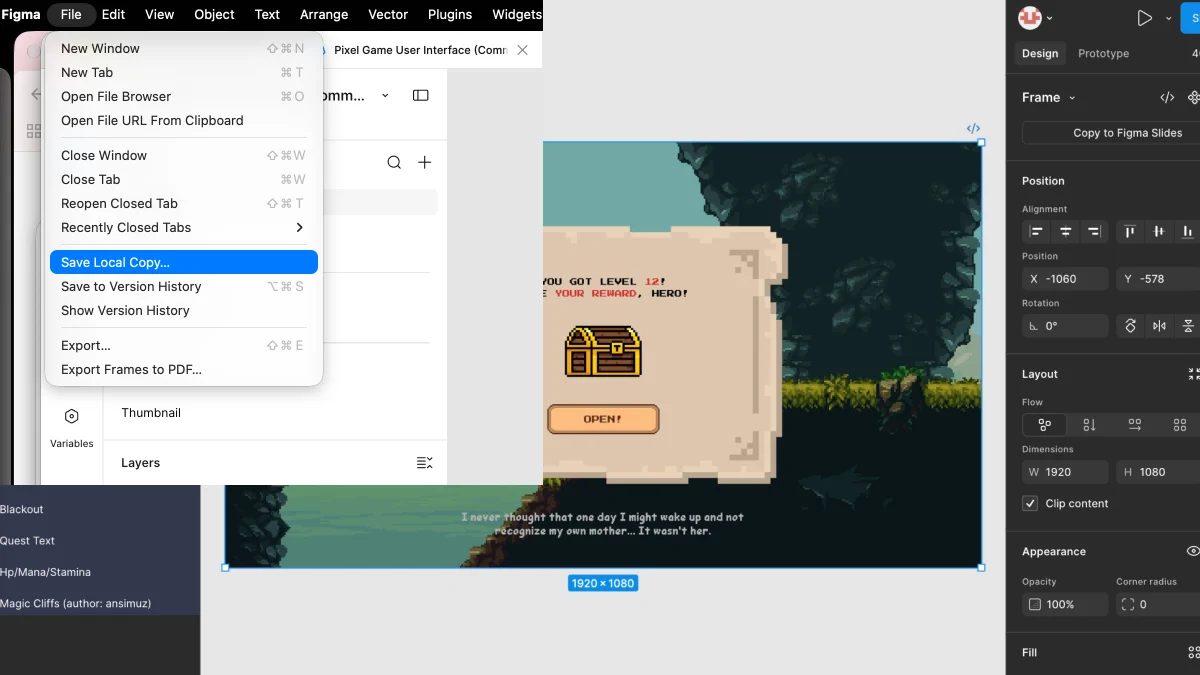
Step 1: Save a local .fig
In Figma, open the screen and use File → Save Local Copy.
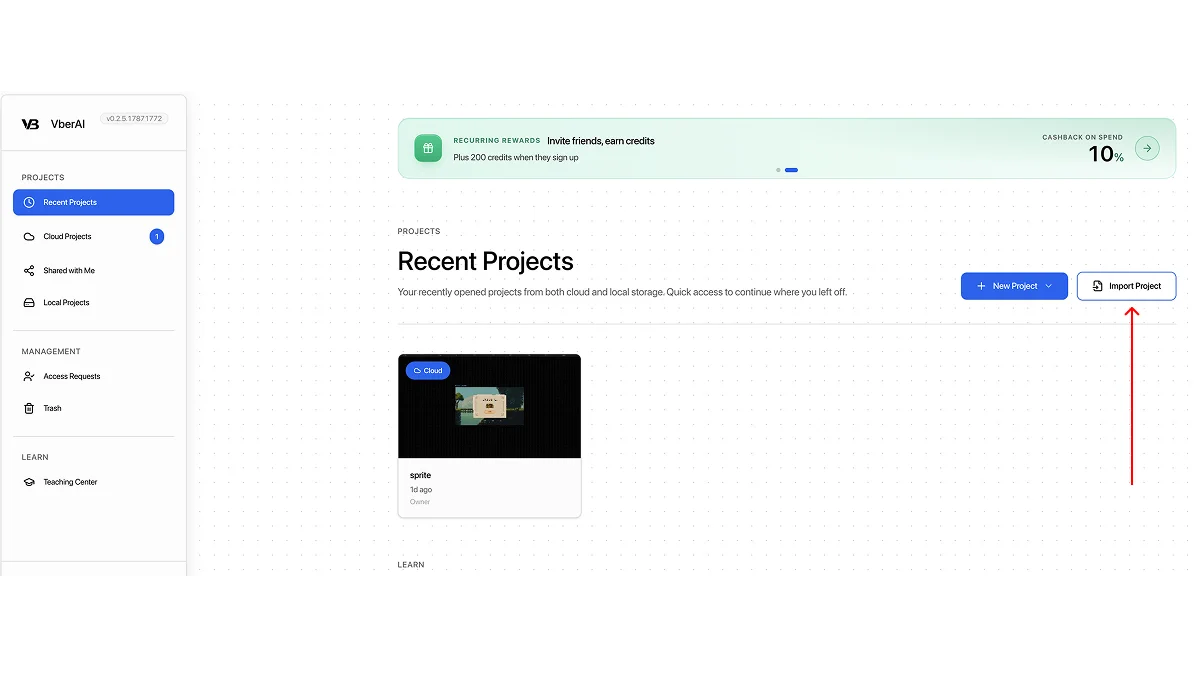
Step 2: Import Project in Studio
On the Studio projects page, choose Import Project and select the .fig file.
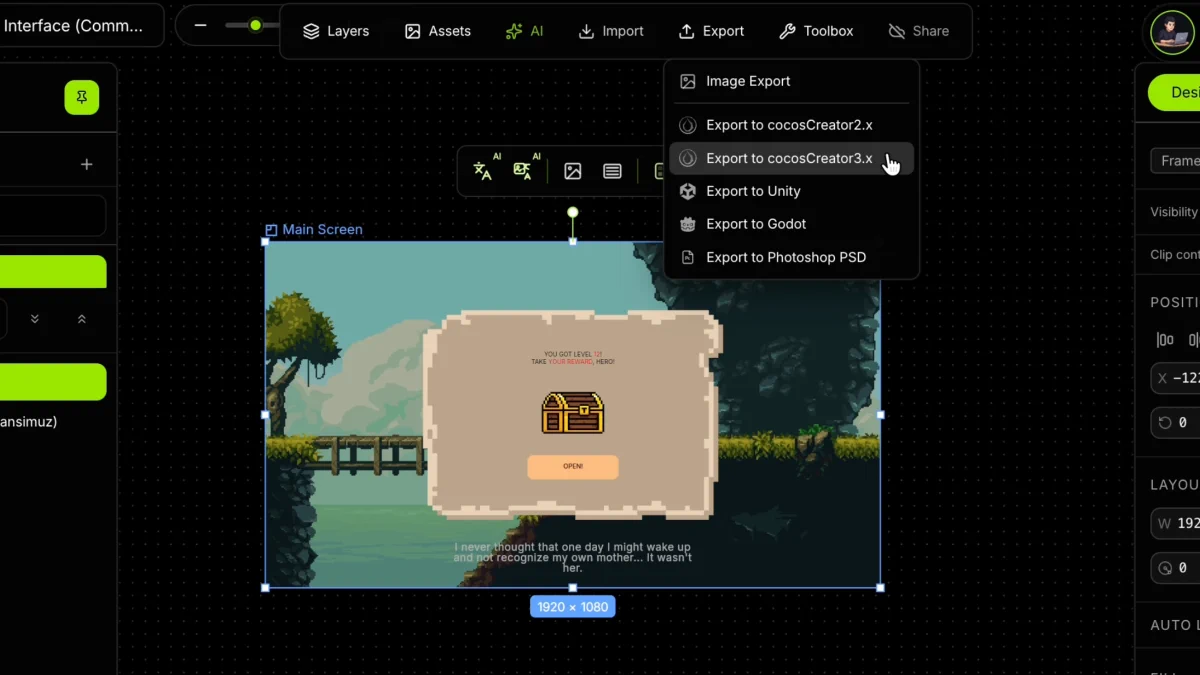
Step 3: Export and preview
Select the screen (for example Main Screen). Open Export and choose Export to cocosCreator3.x.
Wire the UI logic in Cursor or Codex. In Cocos Creator, Build the project; preview opens in a local web page.
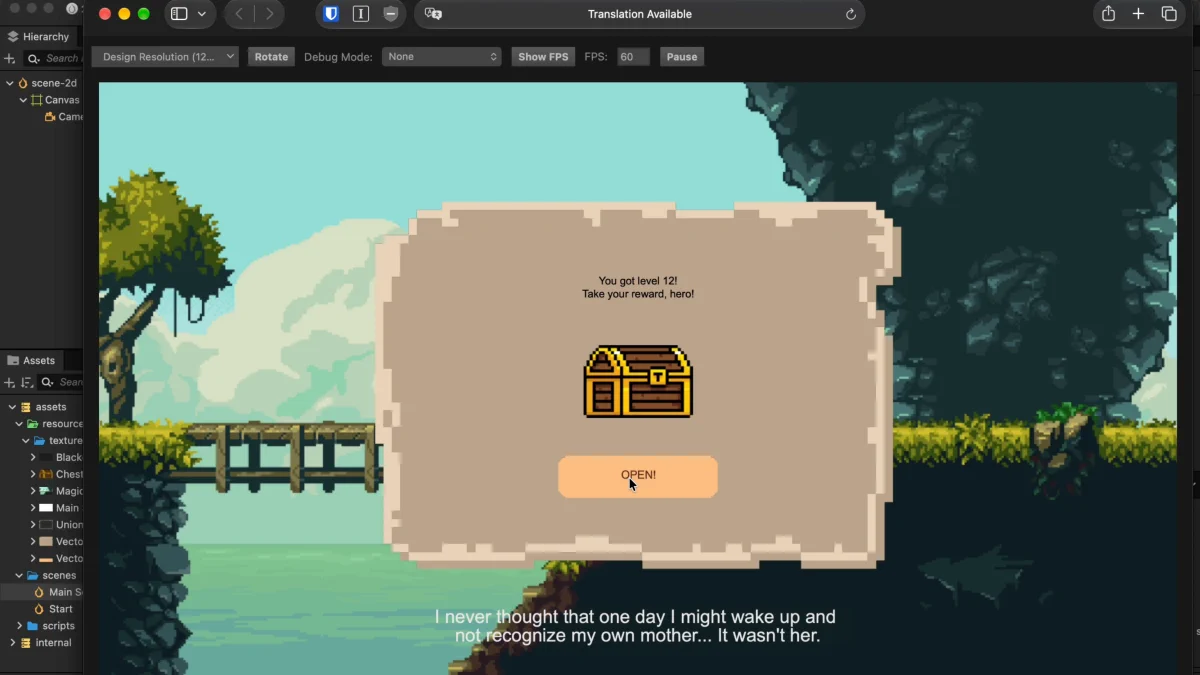
The export lands under Assets: Prefabs holds the Cocos Creator Prefab (assembled UI you can drop into a scene); Textures holds the sliced PNGs, named from the layers.
Latest walkthrough, September 2026
Step-by-step pass from Figma through Studio into Cocos Creator: