Figma to Godot Importers Are One-Way: Why MCP + AI Art Sync Needs a Different Pipeline
TL;DR
On the Figma side the usual plugin is an Exporter. On the Godot side there is an Importer, and a separate MCP plugin. Both ends exist. Cutting the board into images and writing them into the engine still usually happens once.
After the design file is revised, the UI that landed in the engine is often already stale. If holiday ops need a new UI set in batch, the node tree in the engine will likely no longer match the original layer structure. Generating a new theme with AI runs into the same problem.
Why old importers are one-way
I have been thinking about a problem. By September 2026, AI coding tools such as Cursor have become steadily more common. What still shows up for Figma to Godot is a Figma Exporter plus a Godot Importer. The usual path is to export cuts from Figma, then build Control nodes in Godot. After that step, the screen is in the engine for the first time.
Change a button in Figma and the UI in Godot does not update on its own. After an export, the AI that drives generation still has to check the latest change before that update can land in the AI context. The same gap runs the other way: when logic changes in Godot, it also cannot sync back to Figma in a form that this new context can drive generation.
After new changes show up in Godot—a missing texture, another screen, a look that has to be remade while nodes are already wired—the Figma side has to drive AI generation again. Those new images still have to map back onto the original nodes and folders. Import again and you often get a duplicate texture, or you overwrite nodes that were already wired. The design file and the project still cannot stay in real-time sync.
With a Figma Exporter and a Godot Importer, rebuild is shortened into a single pass. Layer names, positions, and which piece is clickable are written into the engine from that one export. What lands is a Snapshot. If the UI still needs to be regenerated with AI later, that Snapshot is not synced into the AI context in real time.
After AI First, sync and regeneration are still missing
On r/godot there is still a lot of feedback on AI-generated art. Some people call using generated assets a “cardinal sin,” and the thread stays on whether it should be used: I committed the cardinal sin of using AI generated assets. People already working AI First started earlier to schedule generation, export, and engine wiring, and to use those steps so development speed goes up in this setting.
For that speed to go up, the UI cannot be rebuilt in the engine every time. Through MCP, the coding tool can connect to the open Godot project. The current scene, nodes, and scripts can be read and changed. That stretch can already be done with Godot MCP.
To wire a button event from a coding tool, the node still has to keep the original name, and the cut still has to sit in the original folder. If a new UI is generated later and names and folders both change, the open project is a new tree that does not line up, and old scripts cannot attach again.
Two things are missing. One is resource sync: files have to be written into engine folders, and the original layer context has to be kept and stay in sync. The other is regeneration: after the design file is revised, another export can still come from the same layered file, without renaming textures by hand in the engine. A one-pass Exporter or Importer does not cover either. A standalone Godot MCP plugin does not cover them either. What gets synced is the open editor. Art is not batch-saved into engine folder layout, and layer relationships are not brought back after a new image is generated.
Under AI First, real-time art sync and code-logic sync need to run in parallel
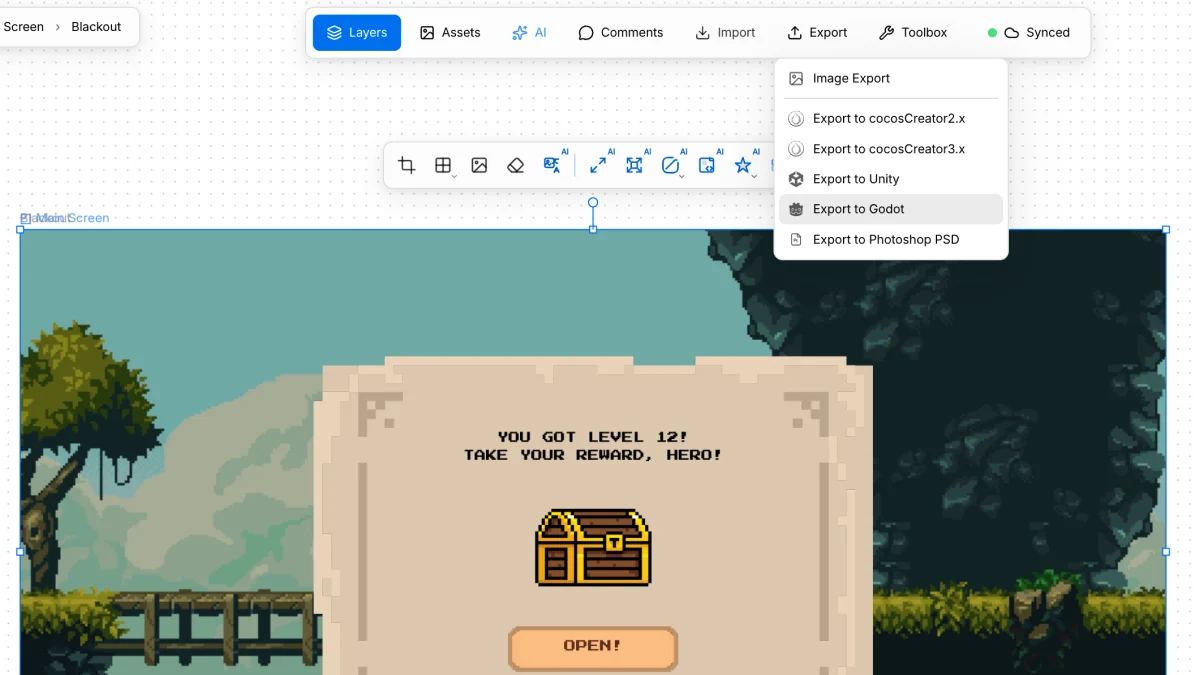
The path that already works is to handle the Figma to Godot stretch in VberAI Studio. Import the .fig into VberAI Studio, then export the scene and cuts into Godot project folders. Layer names, positions, and which piece is clickable are written into the engine directories with the files. When the design file changes, export again from VberAI Studio. Nodes in the project can still line up with the original layer structure.
On the code side, the open scene and scripts go to the coding tool through Godot MCP. Art sync and code-logic sync have to be done together: keep a layered source that can still be regenerated in VberAI Studio, and write files into engine folders; then wire events onto nodes that still line up, from the coding tool. Do only one side, and the second UI change will not line up.
Full steps: Figma to Godot.
Takeaway
AI coding tools are already mainstream. It is time to readjust the workflow so generation of resources and mapping into the engine reach a higher degree of sync.