PSD to Unity: No Canvas-Size Setting; Layer Positions Live on the Prefab
TL;DR
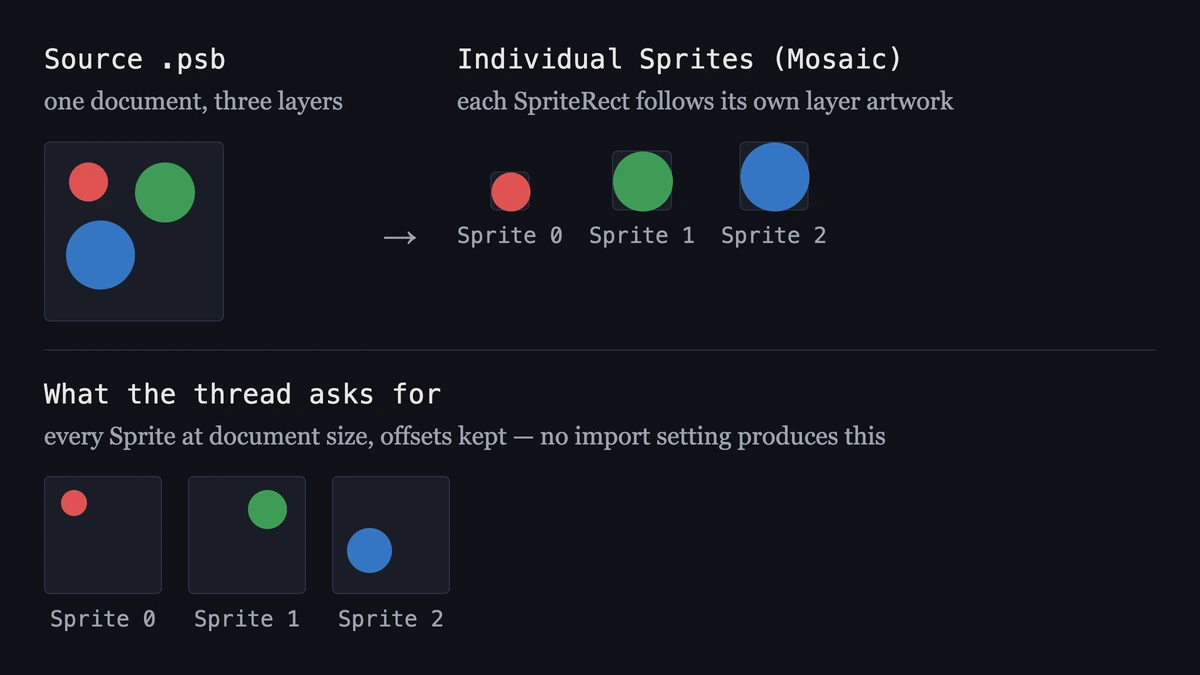
A question that keeps coming back on r/Unity3D: import a PSD as separate layers and keep the document size, so every Sprite still carries its original offset. The thread closes on two suggestions—export the layers from Photoshop by hand, or treat the transparent space as a design problem. The mechanism behind the behaviour stays unnamed.
There is no PSD Importer setting for per-Sprite canvas size. Positions are preserved in a different place: the Prefab the importer generates. A second import does not update SpriteRects when the canvas or layer size changes. Matching them again means editing each rect in the Sprite Editor, or applying Automatic Reslice, which discards those manual edits.
What Individual Sprites (Mosaic) actually produces
Set Texture Type to Sprite (2D and UI), Sprite Mode to Multiple, and Import Mode to Individual Sprites (Mosaic). The layers land as one packed Texture with a SpriteRect per layer, and each SpriteRect follows the artwork on its own layer. A 32-pixel circle on a 2048-pixel canvas becomes a 32-pixel Sprite.
Two padding settings sit beside that option, and neither one restores the canvas. Mosaic Padding controls the gap between layers inside the packed Texture. Sprite Padding, added in PSD Importer 8.0.0 for Unity 2022.2, enlarges each Sprite’s rect in the Texture. Both adjust spacing while the rect still starts from the layer artwork. The Sprite Editor’s Trim runs the same direction, tightening a rect to the opaque pixels; widening a rect back out is manual work, one Sprite at a time.
Position survives in the Prefab, not in the Sprite
Character Rig → Use as Rig generates a Prefab from the source file. The Sprites’ hierarchy and positions come from the layer hierarchy and from where those layers sit in the PSD, and each Sprite receives an Order in Layer value following layer order, so the Prefab reproduces the source arrangement. Use Layer Grouping keeps Photoshop groups as parents.
That Inspector section appears only when Sprite Mode is Multiple, Import Mode is Individual Sprites (Mosaic), and the 2D Animation package is installed. Unity documents the same switches under preparing artwork for animation, where the expected output is a rigged character actor with a .skeleton asset and the Skinning Editor. Positions come back on either reading, and a UI screen brought in this way arrives as an animation actor rather than as a Canvas hierarchy.
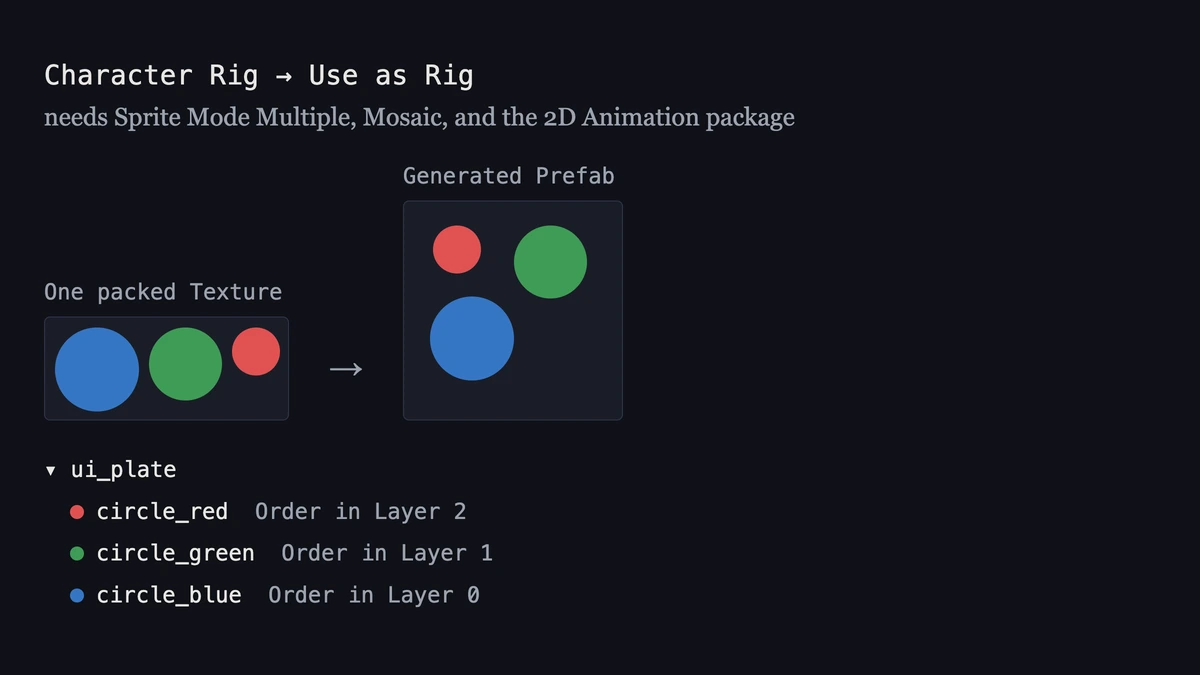
So the thread has an answer available: relative scale and position are already handled, and per-Sprite canvas size is not the lever that provides them.
What the file format and the ignored layer properties cost
A .psd file goes through the standard Texture Importer by default, which flattens it. The layered path takes selecting the file and switching the Importer dropdown to UnityEditor.U2D.PSD.PSDImporter, or working in .psb, which the PSD Importer targets directly and which supports up to 300,000 pixels in a dimension. Save with Maximize Compatibility enabled.
Four Photoshop layer properties are dropped when the Sprites and the Prefab are generated: Channels, Blend Modes, Layer Opacity, and Effects. A plate whose look depends on a multiply layer or a 40% opacity shadow arrives with those flattened out, and matching the source again becomes shader and material work inside Unity.
The second import
SpriteRect data persists per Layer ID, which is what keeps manual edits alive across reimports. It also means a SpriteRect holds its size and position when the layer or the canvas size changes in the source file. Bringing it back in line takes editing the rect in the Sprite Editor, or applying Automatic Reslice, which regenerates every rect from the current source and discards the manual modifications for that set.
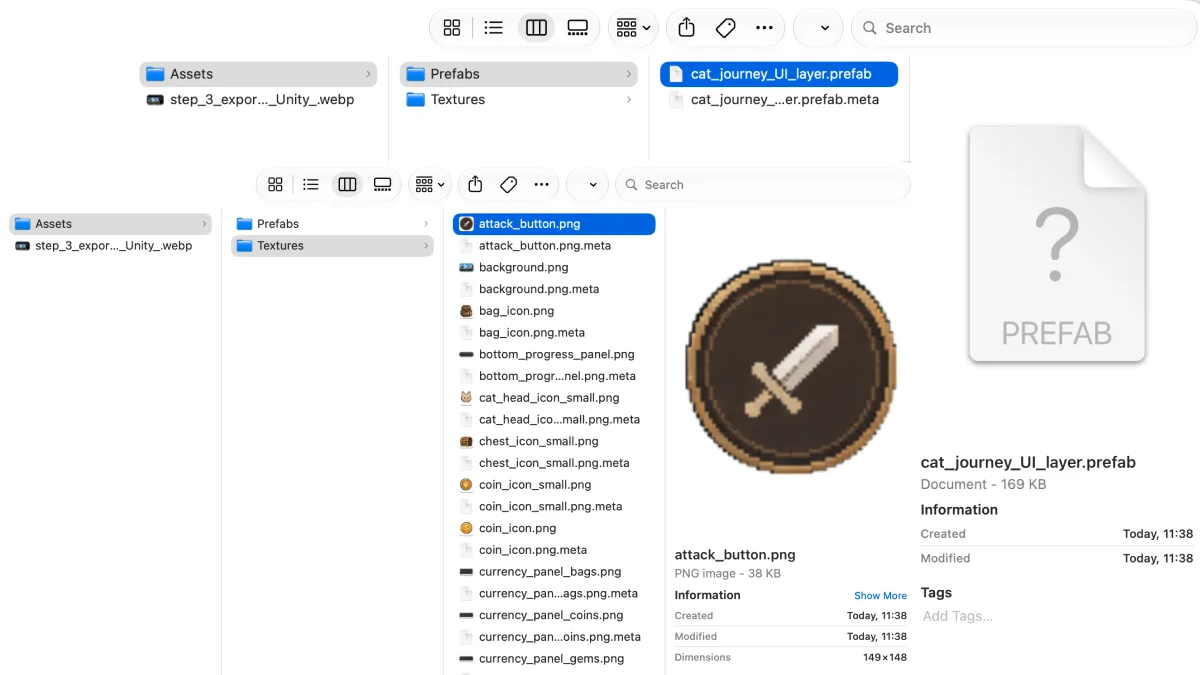
On one character file that is a known cost. On a screen that gets regenerated, or a folder of PSDs waiting on the same treatment, it is why batch shows up in the search query at all. PSD to Unity covers the other route: run the layering pass outside the Editor, then write Assets/Prefabs and Assets/Textures in one export, so names and folder layout arrive together with the files.
Takeaway
Document size is the wrong dial for this problem. On one file, positions already come back through Use as Rig. On a regenerated screen or a folder of PSDs, each reimport leaves SpriteRects at the old size, so every file needs the same rect pass again.