A 2D fight screen is three layers, plus a sprite sheet for each state
TL;DR
A one-on-one fight that arrives as a single picture is three layers in the project: the stage, the fighters and their hits, and the HUD. The left fighter also needs a sprite sheet of states before the round can play. Hit sounds start on those frames. Match music runs under the whole round. The state sheet is a separate set of cuts. The recording is on YouTube.
A finished plate is the target frame
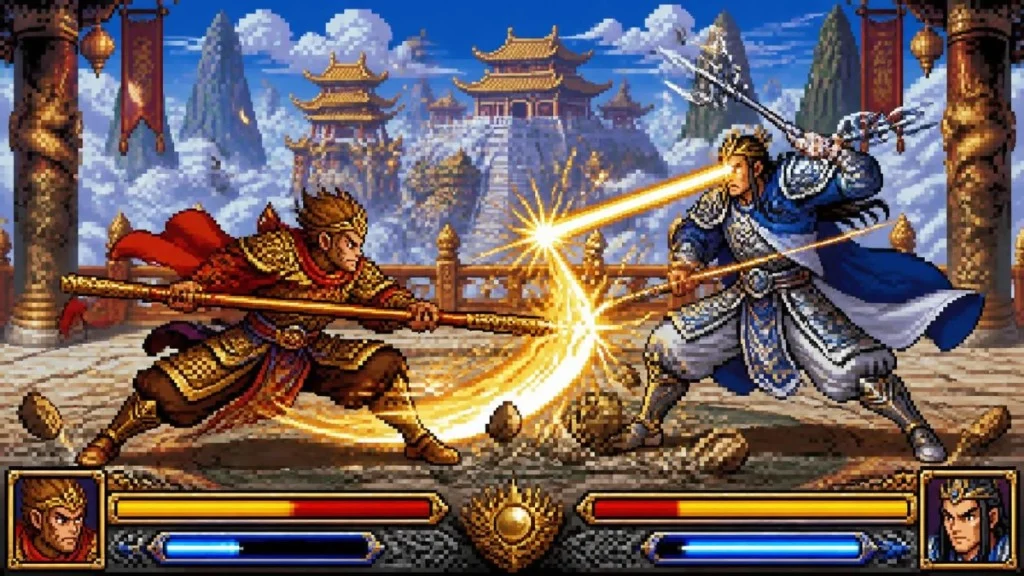
More small games now start from an AI picture of the whole screen. The picture already shows two fighters, a palace stage, and the bars along the bottom. That frame is what the round should look like when it is playing.
The project still needs the cuts that frame is made of. A late-1990s arcade fighter — the kind of stage people mean by a King of Fighters ’97 screen — is a clear case, because the picture is full and the jobs stay separate.
Background, the fight, and the controls are three layers
The same frame, pulled apart:
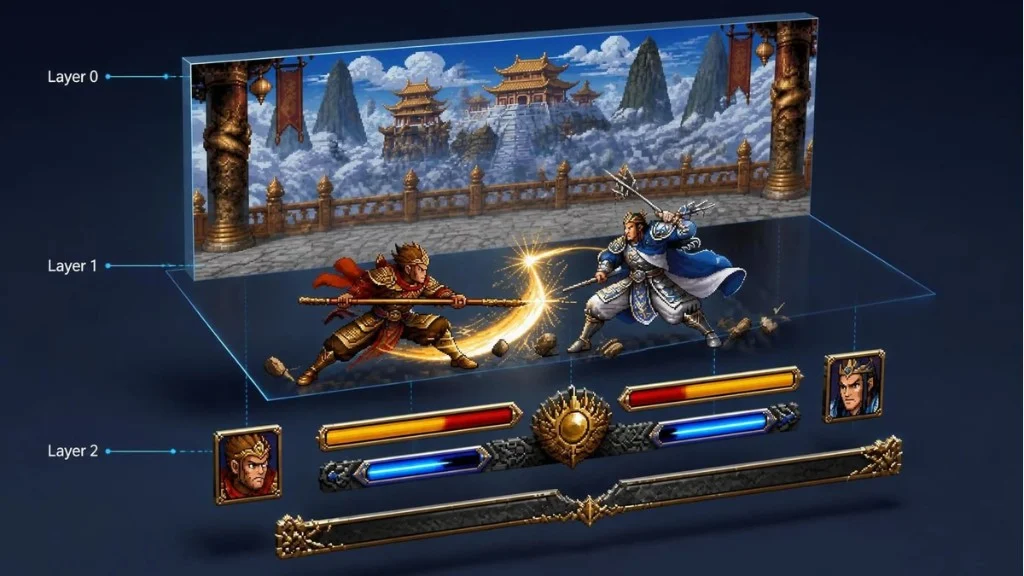
Layer 0 is the stage. Pillars, banners, the palace, the mountains, the stone floor. It stays in place while the fighters move. One painting covers the match, in the same pixel style as the characters.
Layer 1 is the fight. The two characters, the staff, the spear, the hit flash, the dust. This layer changes every frame. Positions and which pose is showing live here.
Layer 2 is the controls. Portraits, health bars, energy bars, the ornament in the middle. These sit above the fight. They update from numbers: health remaining, energy remaining. They stay fixed while a character steps.
Each layer keeps one visual style. When a bar updates, it still has to match the stage and the fighters. Each layer also has its own states. The stage can be one plate. The bars need full, partial, and empty art that still matches the frame. The fighters need every pose the move list uses. Effects on the weapon stay in that same pixel style, drawn with the pose they belong to.
After the plate is split, names, positions, and which piece is a control still have to travel into the engine. That later step is already covered in Image to Layers.
The left fighter is a sheet of states
In the plate, the left character holds one pose: a low stance, staff forward, red cape. A round needs more than that pose.
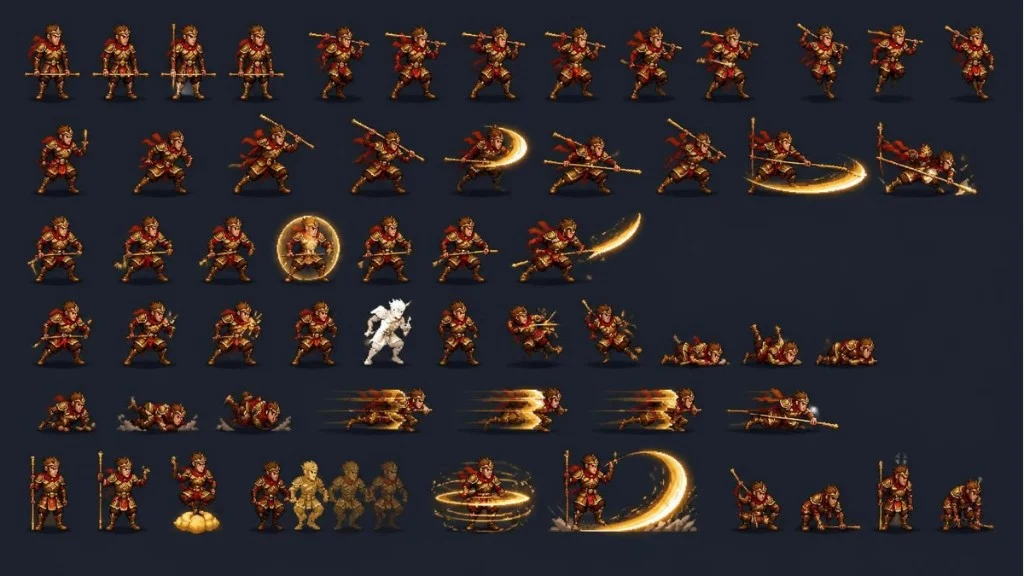
A standard 2D project prepares those cuts before the scene can play: stand, walk, several attacks, a block, hits from different directions, a fall, a get-up, and the effects that travel with the weapon. The frames share one body, one costume, and one facing. When the input arrives, the engine plays those frames in order.
One generated pose can be the key frame. The swing, the hit, and the get-up are further frames on the same sheet.
The picture, the hit sound, and the match music use three clocks
The hit flash is a frame on Layer 1. The hit sound starts on that frame, and it changes when the move changes. The match music runs under the whole round. It keeps playing when the staff connects.
Bake the sound into a video of the plate, and a different move still needs its own hit. The picture, the effect, and the music stay three schedules that meet on the same frame.
Takeaway
Prepare the stage, the fighter states, and the HUD as separate art in one style. Start the hit sound on the contact frame, and keep the match music on its own clock. Then import that structure into the engine, so the playing screen still matches the plate.