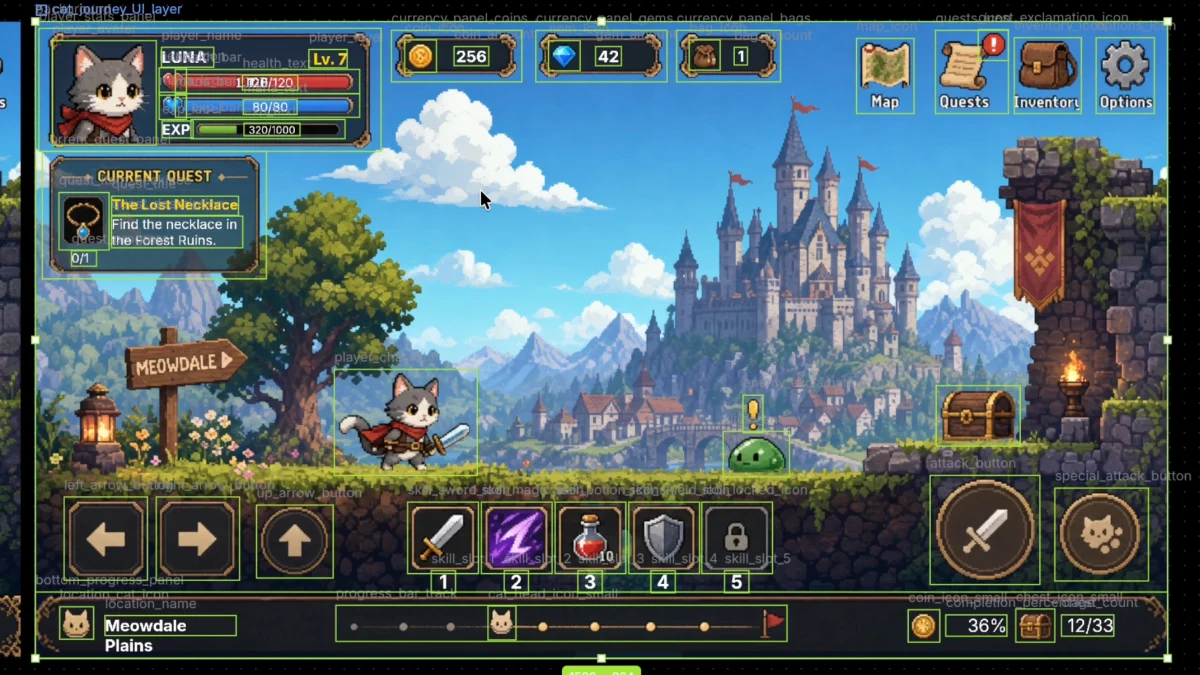
Image to Layers: How to Separate Character Images Into Layers for a Faster Game Asset Preparation Workflow
TL;DR
The Convert series just landed Figma to Unity and PNG to PSD, on top of the Godot and Cocos Creator paths. Reading those pages together leaves one feeling: image-to-layers is already simple. Splitting a PNG into layers is easy; restoring those layers in a game engine, at the original positions and with interaction still attached, is the part that needs more attention.
The working answer is not one more split button. Vertical tools have to carry layer names, positions, and interaction as shared context from step to step. The Docs already on this site: Auto Layering: Image to Layers, Figma to Unity, AI Image Translate, and Reskin.
Splitting a PNG is already easy
Cutting a PNG into separate layers is simple now. Current AI layering can split the plate and fill edges and hidden parts.
Besides Auto Layering: Image to Layers in VberAI Studio, plenty of other tools can one-click a composite into cuts. What happens after the split is the real problem: whether the original positions survive, whether a button is still a button, and whether the plate can be restored in the engine as the same screen.
Import into the engine: keep the original layer context and keep it in sync
After Auto Layering, Figma to Unity writes a ZIP whose root is Assets: Prefabs for assembled UI, Textures for the cuts. Names, positions, draw order, and which piece is clickable have to travel with the files. Drop any of that, and Codex and Unity MCP cannot hook a node. The import is then a pile of pictures.
Photoshop-era advice—9-slice every panel, never bake type, plan every button state before export—still describes real engine work. Those rules are no longer the starting condition for faster asset prep. The Figma to Unity Exp already said at least half of that older list no longer blocks progress.
Vertical tools matter because they keep sharing the same context
Auto Layering: Image to Layers cuts from detected edges and exports meaningfully named files. Figma to Unity or PSD to Unity lands the same layer set in Unity project folders. AI Image Translate changes the words, Reskin changes the look, and layer relationships and sizes still map one-to-one.
These steps can run in sequence only if that layer context never drops. A standalone splitter can finish the cut. It does not carry names, positions, or interaction into the next tool.
Takeaway
With shared context in place, batch-splitting game UI has basic usability in a real development environment.