How MCP Connects AI Coding Tools to Game Engines
MCP is a dedicated channel between an AI coding tool and the open engine. Named, engine-shaped art does not need a spoken explanation of where each cut goes.
TL;DR: 3 steps
In game development, if slicing and the logic around it are unfamiliar, frustration shows up fast. An AI coding tool can write scripts. It does not, by default, see the engine’s node tree, or know that a named cut belongs on a specific button.
MCP (Model Context Protocol) is a dedicated channel between that coding tool and the game engine. When art is already exported as structured, named files, there is no need to tell the coding tool where each picture should sit. It reads the open project through MCP.
Step 1: The friction is where the cut goes
A PNG on disk is not a game UI. The coding tool still has to learn which node is the attack button, which folder is Assets/Textures, and which prefab already holds the layout. Explaining that in chat, screenshot by screenshot, is the slow path.
Named cuts from Auto Layering: Image to Layers and engine-shaped export (for example Figma to Unity) already answer part of that. MCP answers the rest: the live editor, not a ZIP sitting on the desktop.
Step 2: MCP runs as a local server
Each engine MCP is a small desktop window next to the editor. Server Status should read Running. The coding tool connects to a local URL, for example http://127.0.0.1:6594/mcp on Unity MCP.
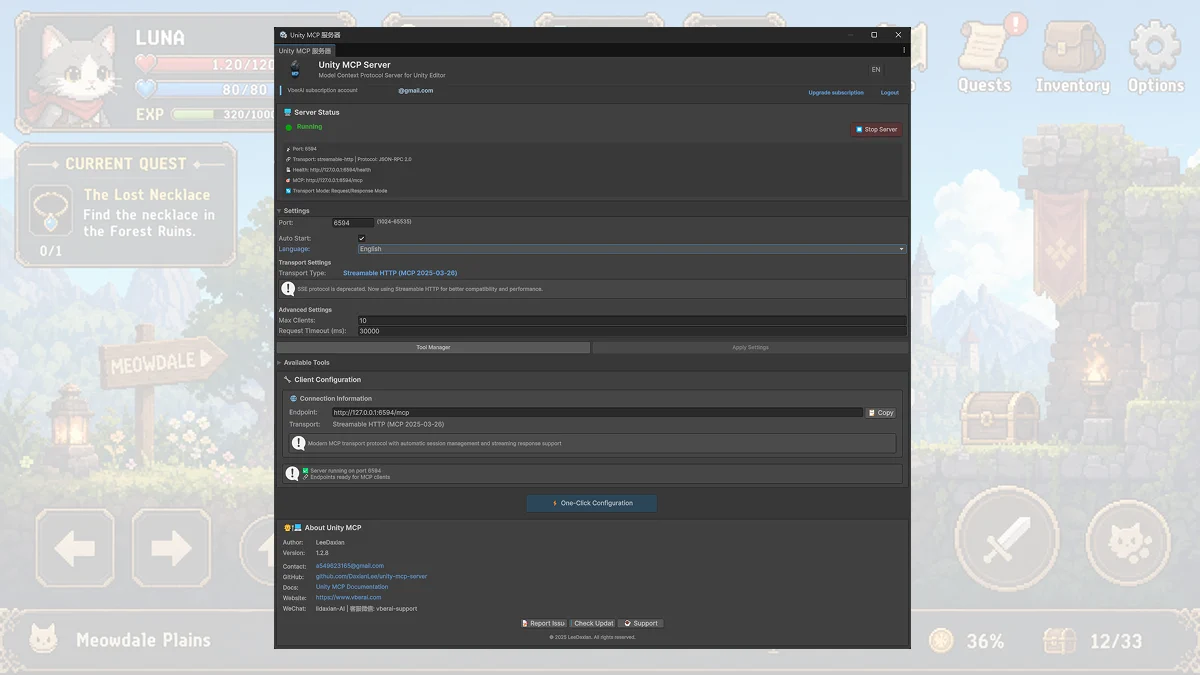
VberAI Studio MCP tools all support One-Click Configuration. After install, mainstream coding tools can be wired in one click. After that setup, keep the engine and the MCP server running while the coding tool talks to the project through MCP.
Step 3: Attach the coding tool with one-click configuration, then pick the engine page
Cursor, Codex, Claude Desktop, and other mainstream clients attach with one-click configuration. After the channel is up, questions about the current scene, hierarchy, and named assets go through MCP instead of a pasted screenshot.
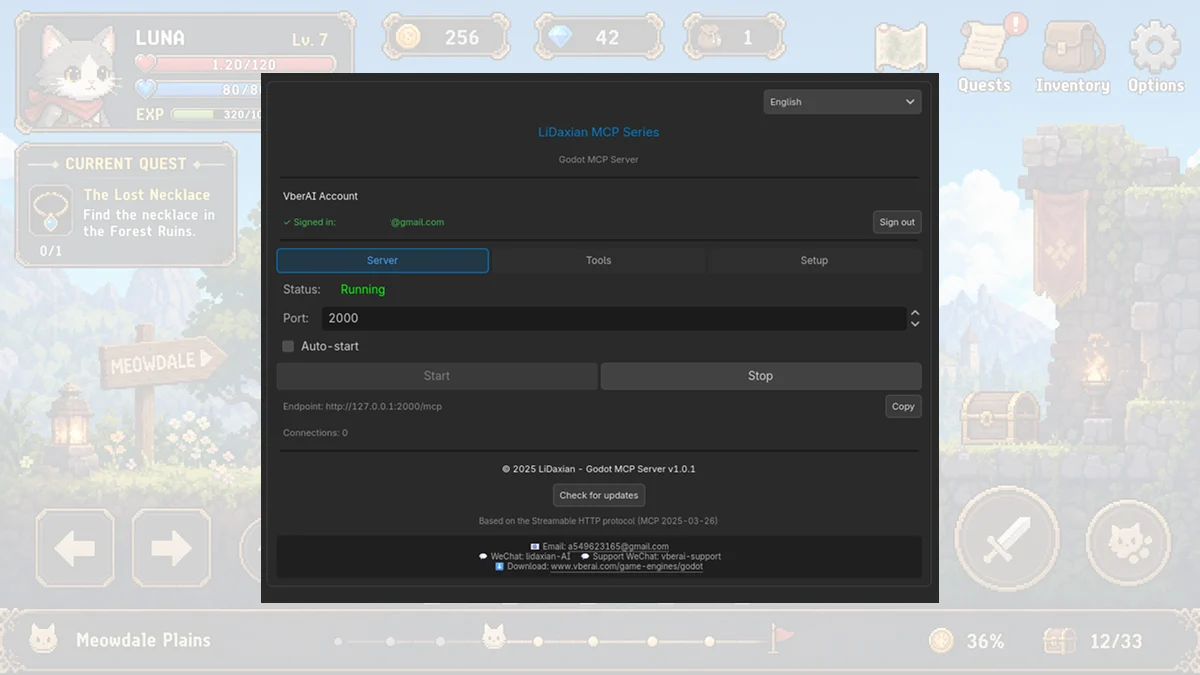
The same idea, a different engine window—for example in Godot MCP, port 2000 and http://127.0.0.1:2000/mcp:
Pick the page for the engine already open: